Understanding the UX Design Process
The UX design process systematically enhances user satisfaction by improving the usability, accessibility, and pleasure of interacting with a product. It involves several key stages that work together to create a seamless user experience.
- Research and Analysis: Understanding user needs, behaviors, and pain points through various research methods such as surveys, interviews, and usability testing.
- Design: Creating wireframes and prototypes to visualize the product and test its functionality.
- Implementation: Developing the final product based on the validated design.
- Testing and Iteration: Continuously testing the product with real users and making iterative improvements.
Crafting Effective User Flows
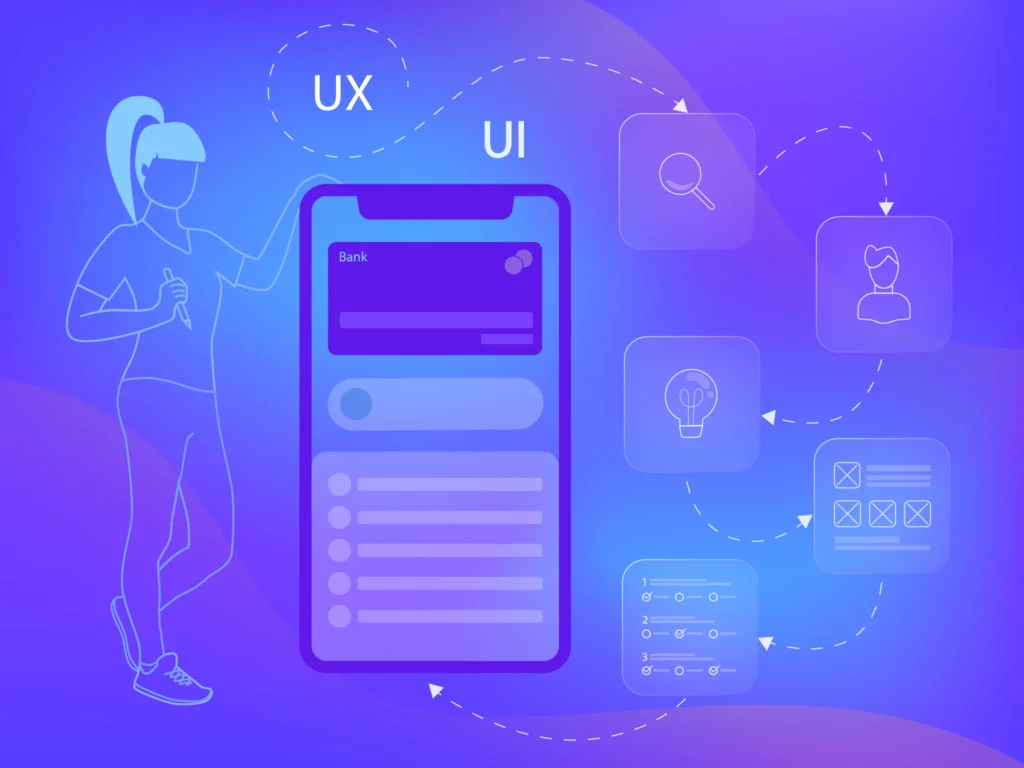
User flow, also known as user journey or UX scenario, is a diagram that maps out the steps a user takes to achieve a specific goal within an application. It is an essential tool for visualizing the user’s interaction with the product and identifying potential pain points.
Defining User Goals: Start by understanding your users’ primary goals. What are they trying to accomplish when they interact with your product? This could be anything from signing up for a service to completing a purchase.
Mapping Out the Journey:
- Entry Point: Identify where users will start their journey (e.g., landing page, login screen).
- Steps and Actions: Outline each step the user will take, including actions, decisions, and pathways.
- Exit Point: Determine where the journey ends, ensuring it aligns with the user’s goal.
Optimizing the Flow:
- Simplification: Remove unnecessary steps and streamline the process.
- Navigation: Ensure navigation is intuitive and users can easily move between steps.
- Feedback: Provide clear feedback at each stage to inform users of their progress.
The Art of Wireframing
Wireframing is the process of creating a low-fidelity representation of a product’s layout and structure. It serves as a blueprint for the design and helps in visualizing the placement of elements on each screen.
Choosing the Right Tools: Popular wireframing tools include Sketch, Figma, Adobe XD, and Balsamiq. These tools offer various templates and features to facilitate the wireframing process.
Creating Wireframes:
- Layout: Determine the overall layout, including headers, footers, navigation bars, and content areas.
- Elements: Place elements such as buttons, forms, images, and text in their respective positions.
- Annotations: Add notes and explanations to clarify the purpose and functionality of each element.
Best Practices:
- Consistency: Maintain a consistent layout and design language across all screens.
- Clarity: Ensure the wireframe is easy to understand and interpret, even for non-designers.
- Focus on Functionality: At this stage, prioritize functionality over aesthetics, focusing on how the elements will work rather than how they will look.
Prototyping for Success
Prototyping is the process of creating an interactive model of your design. It allows you to test the functionality, usability, and overall user experience before developing the final product.
Types of Prototypes:
- Low-Fidelity Prototypes: Basic models that focus on functionality rather than design details. These can be paper prototypes or simple digital versions.
- High-Fidelity Prototypes: Detailed and interactive models that closely resemble the final product. These include design elements and mimic real user interactions.
Tools for Prototyping: Tools like InVision, Marvel, and Axure offer robust features for creating interactive prototypes. These tools allow for user testing and feedback collection.
Prototyping Process:
- Building the Prototype: Use your wireframes as a foundation and add interactive elements to create a functional prototype.
- Testing and Feedback: Conduct usability testing with real users to gather feedback. Observe how users interact with the prototype and identify areas for improvement.
- Iteration: Refine the prototype based on user feedback and continue testing until you achieve a satisfactory user experience.
Initial Stages in the UX Design Process
Acknowledging other critical stages that complement user flow, wireframing, and prototyping is important to provide a more comprehensive view of the UX design process. These parts are less popular and mentioned in the guides, but let us be nerds and provide you with the full picture.
User Interviews: Conduct interviews with potential users to gather in-depth insights into their needs, preferences, and pain points. This qualitative data helps create a user-centric design.
User Personas: Develop detailed personas that represent different segments of your target audience. These personas guide design decisions by keeping the user’s needs and goals at the forefront.
User Stories: Creating user stories that describe the features from the end-user’s perspective. These stories help prioritize functionalities that provide the most value to users.
Customer Journey Mapping: Visualizing the user’s journey with the product, from initial awareness to post-purchase interactions. This helps identify touchpoints and enhance the overall user experience.
User Story Mapping: Organizing user stories to visualize the product’s workflow and cover all necessary functionalities. This method aids in identifying dependencies and planning sprints in Agile development.
Testing: Continuous testing throughout the design process, from usability testing of wireframes and prototypes to A/B testing of the final product. Testing ensures the design meets user expectations and identifies areas for improvement.
Case Study: Applying the Complete UX Design Process
Imagine you are designing an e-commerce application. Here’s how you can apply the full UX design process:
User Interviews: Conduct interviews with potential users to understand their needs and preferences. Use these insights to refine the design.
User Personas: Develop personas for different segments of your target audience to guide design decisions.
User Stories: Create user stories to describe the desired features from the user’s perspective and prioritize them accordingly.
Customer Journey Mapping: Map out the entire customer journey to identify touchpoints and enhance the overall user experience.
User Flow: Map out the user journey from landing on the homepage to completing a purchase. Identify key steps such as browsing products, adding items to the cart, and checking out.
User Story Mapping: Organize user stories to visualize the workflow and ensure comprehensive coverage of functionalities.
Wireframing: Create wireframes for each screen, including the homepage, product pages, cart, and checkout process. Focus on the layout and placement of elements to ensure a smooth navigation experience.
Prototyping: Develop a high-fidelity prototype with interactive elements like clickable buttons and forms. Conduct usability testing to gather feedback and make necessary adjustments.
Testing: Continuously test the design and make iterative improvements based on user feedback.
Bottom line
The UX design process is essential for creating user-friendly and engaging digital products. By focusing on user flow, wireframing, and prototyping, you can ensure that your application meets user needs and provides a seamless experience. Implement these best practices in your design process to build products that stand out in the competitive digital landscape.
For more detailed insights and expert advice on UX design, visit our design-page and explore a wealth of resources tailored to your needs.